gpt-image-2 Prompt Patterns: Commercial Covers And Miniature Visuals
Rewritten English prompt patterns for editorial information visuals, technology posters, brand concepts, and botanical knowledge cards.
There is a thin line between useful content imagery and empty commercial polish.
If the image looks too much like an advertisement, it feels oily. If it behaves like a plain data chart, it may not travel. The prompts here are for the middle ground: report covers, editorial visuals, miniature scenes, brand directions, and knowledge cards.
These examples use English prompts and English subjects. They are adapted from public prompt ideas shared by @xiaoxiaodong01 and @MrLarus, then rewritten and tested again with gpt-image-2.
Chinese version of this article
Case 1: Editorial Information Visual
Some topics do not want to become a flowchart.
I used Moby-Dick as the test subject. It is not a report, and it does not have a system architecture. But it has structure: Ahab, Ishmael, the Pequod, the white whale, obsession, fate, the ocean, and narrative drift.
This prompt turns that structure into a micro-landscape. The result is not a chart. It is a readable editorial scene with platforms, labels, a ship, a whale, and a final line. The labels are mostly readable, but any generated literary notes should still be checked before publishing.
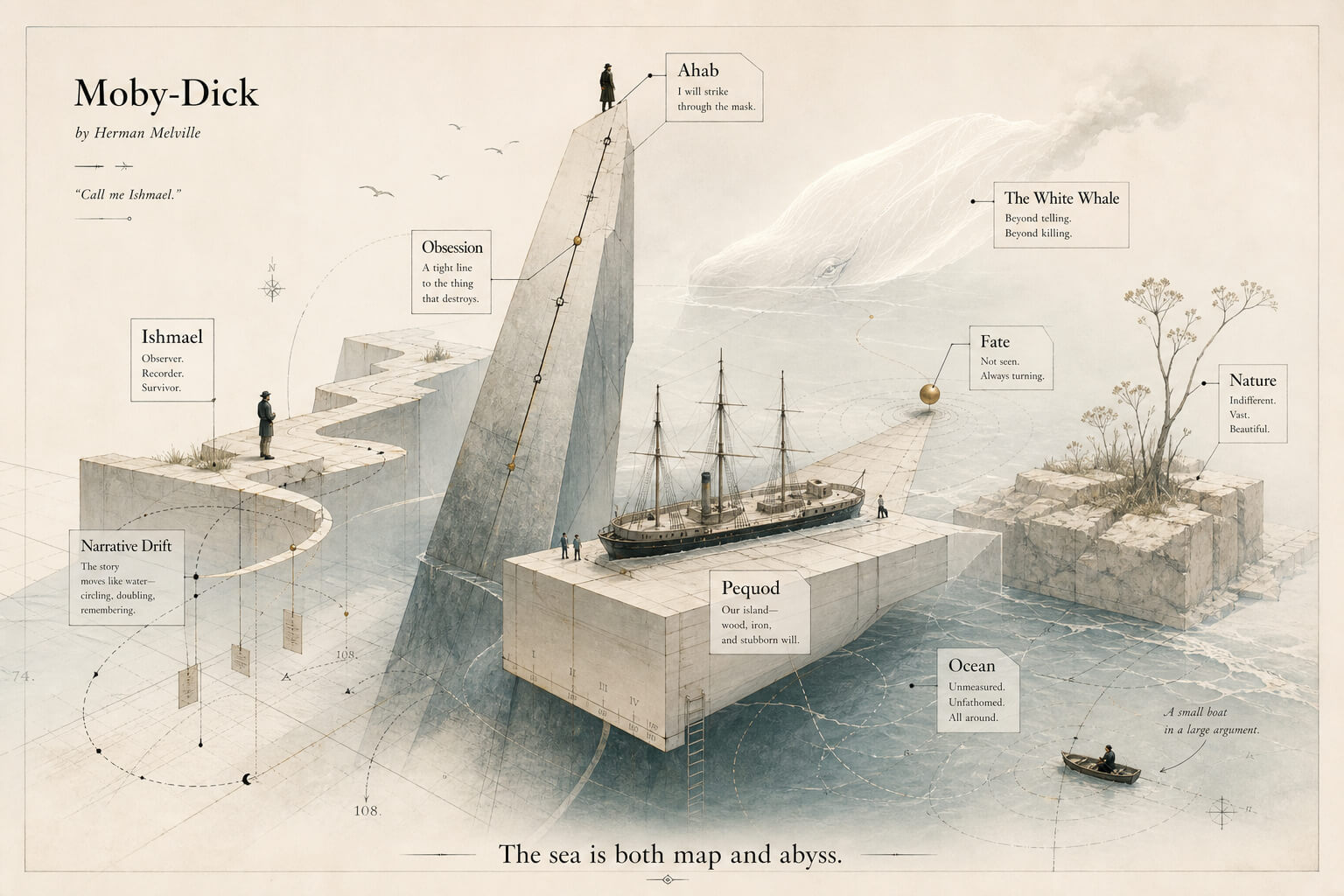
Generation notes:
- Model:
gpt-image-2 - Size:
1536x1024 - Output: JPEG, about 211 KB after compression
- Test input: Moby-Dick
- Best for: presentation covers, report illustrations, knowledge covers, editorial visuals
Reusable prompt:
Create an advanced editorial information visual image.

It should not look like a normal chart or a template infographic. Transform information, ideas, text, and emotion into a bright, restrained micro-landscape with spatial depth.

Before visual creation:
- If the input includes data, screenshots, tables, reports, images, or explicit source material, use those materials first.
- If the input only gives a topic, year, industry, issue, or direction without enough data, use only stable and verifiable knowledge.
- Do not invent current market data, future trends, prices, policies, rankings, people, organizations, brands, or news.
- The image may be poetic, but the information must be honest.

Visual structure:
- Turn the information into visible geometric objects: cubes, thin columns, slices, platforms, containers, boundaries, suspended pieces, folded structures, small markers, and spatial layers.
- Important information may have clearer volume, higher placement, and more stable structure.
- Secondary information should feel lighter, lower, and closer to the background.
- Hidden or subtle information can live in edges, gaps, folds, shadows, labels, and fine lines.
- Do not make the image look like auto-generated software charts.

Composition:
- Start from abundant negative space.
- The subject may be centered or slightly off-center.
- Use a stable but light visual support: a pale platform, thin layer, transparent boundary, floating base, or abstract object.
- Other information elements may surround it, pass through it, be lightly occluded by it, or extend from it.
- Keep a hint of perspective and volume, but avoid realistic 3D rendering.
- The final texture should sit between flat illustration, print design, low-poly paper forms, and editorial design.

Color:
- Do not use a fixed palette mechanically.
- Generate a color relationship from the topic's mood, information density, use case, and amount of whitespace.
- Keep the image bright, clean, airy, and paper-like.
- Use value, saturation, temperature, transparency, area, and spatial distance to separate hierarchy.
- Dark colors should only appear in small text, fine lines, edges, ticks, local shadows, or visual pauses.
- Avoid muddy colors, heavy darkness, excessive sweetness, commercial gloss, neon color, and template-like palettes.

Text:
- Text is part of the image structure, not a manual.
- Titles, short phrases, numbers, labels, and annotations should be embedded in objects, edges, whitespace, and reading flow.
- Important text may occupy a clean area of negative space.
- Secondary text may sit on columns, folds, side edges, pale shadows, or small components.
- Text should appear only where it helps.
- Avoid filling the image with text.

Human scale:
- Add a few tiny people if useful.
- They may stand, observe, measure, carry, look upward, pass by, or pause.
- They exist to give scale and make abstract information feel human.
- Keep them simple and quiet.

Final use:
The image should work as a presentation cover, report illustration, information graphic, social cover, brand visual, business card background, or knowledge content visual. It should carry information while still feeling like an image worth looking at.

User input:
{topic, core expression, source text or data, reference image if any, intended use}
Case 2: Electronics Miniature Typography Poster
Short lines often become cheap light-and-shadow posters. The miniature electronics constraint helps.
I used the sentence “The sun waits at the edge of night.” The generated image turns the sentence into a threshold: electrical modules, a glowing door, a small figure, and a large readable title. That is exactly the point of this pattern. The text is not decoration; it is one of the main subjects.
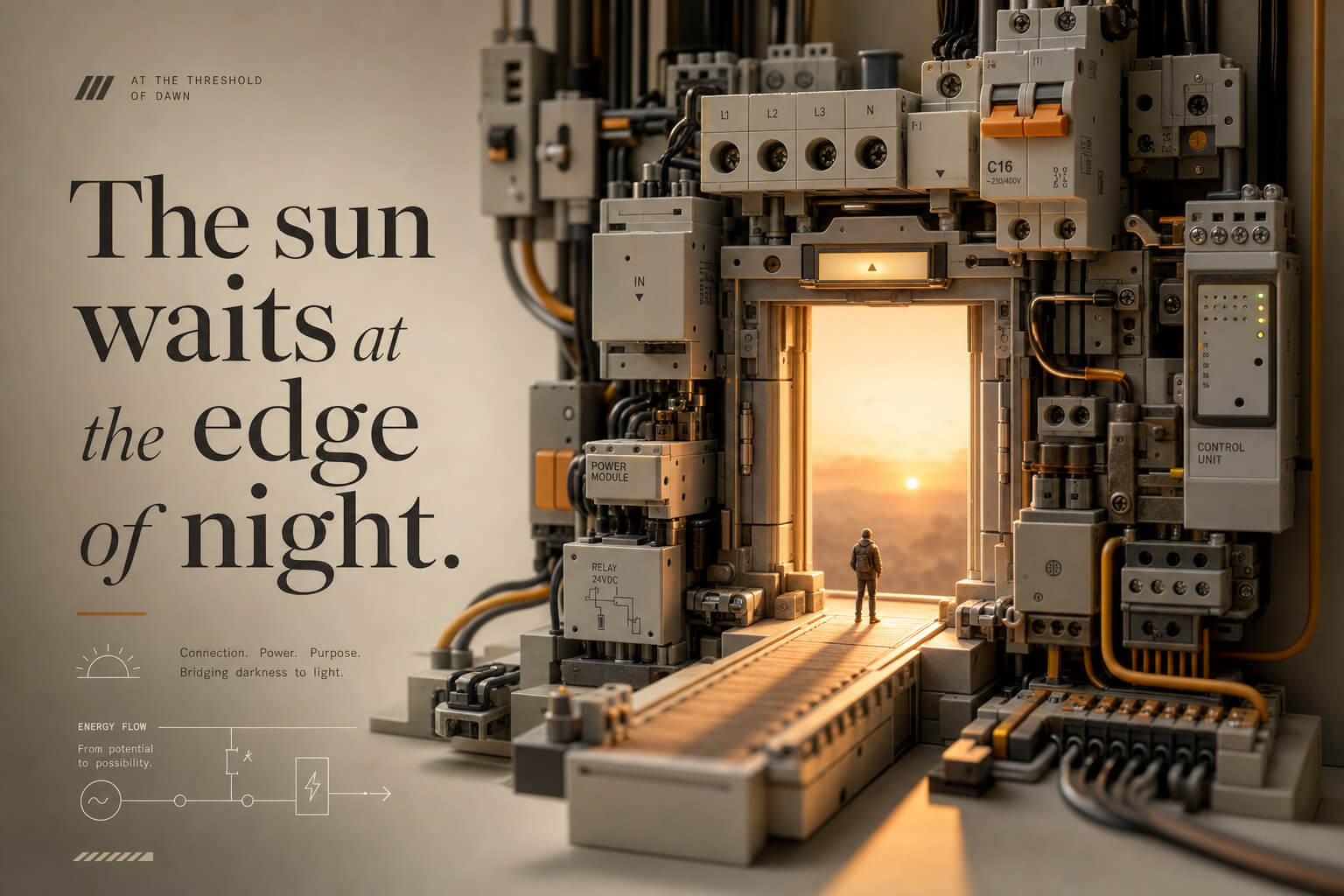
Generation notes:
- Model:
gpt-image-2 - Size:
1536x1024 - Output: JPEG, about 157 KB after compression
- Test input: “The sun waits at the edge of night.”
- Best for: social covers, presentation openings, technology brand visuals, exhibition posters
Reusable prompt:
Translate the user input into an electronics miniature typography poster.

First understand the real communication task:
Is this a cover, infographic, presentation opening slide, brand visual, product explanation, exhibition poster, social image, or business card background?

The image must be both beautiful and readable. If the user provides text, that text is one of the main subjects, not a small decoration.

Text strategy:
- Base all visible text on the user input.
- Do not add unrelated slogans, fake data, hollow industry words, or random English.
- If the user provides a complete line, optimize hierarchy and layout without changing its meaning.
- If the user provides keywords, add only a small number of relevant short labels.
- If the user provides no text, generate only restrained and accurate thematic text.
- Main title, subtitle, labels, and notes must have a clear hierarchy.
- Important text must not be too small, hidden in a corner, or swallowed by the scene.

Text integration:
- Text may appear on building faces, boards, miniature light boxes, signs, floor wayfinding, transparent information layers, product labels, margins, or callout annotations.
- It may also become a strong main title.
- Typography should fit the theme: technical, warm, industrial, editorial, playful, premium, exhibition-like, or social-cover impact.
- Letter spacing, alignment, weight, and whitespace should feel professionally designed.

Miniature scene:
- Build the space from recognizable electronic components: sockets, power strips, switches, circuit breakers, cables, terminals, relays, power modules, plugs, and wiring structures.
- Components may become a building, street, station, workshop, booth, tower, track, road, bridge, or running system.
- Keep real material and recognizable structure.
- Do not deform components into strange unrecognizable objects.

Composition:
- Include one visual core.
- Include one clear text reading area.
- Include one miniature human narrative area.
- Include one quieter auxiliary information area.
- Use center, split, layered, diagonal, title-in-whitespace, or modular composition according to the user's intention.
- Keep breathing room. Do not fill the entire image evenly.

Miniature people:
- Use small people as narrative clues.
- They may repair, build, carry, present, collaborate, commute, observe, queue, or work around the core device.
- Their actions should be small and precise.
- Plants, tracks, copper wires, roads, steps, tools, and signs may guide the eye and soften the industrial feeling.

Visual metaphor:
Infer the metaphor from the theme: growth, connection, safety, energy, efficiency, collaboration, brand, service, manufacturing, or supply chain.
Express it through spatial relationships, human behavior, component structure, and text hierarchy. Do not explain it directly.

Style:
- Miniature model photography
- Product advertising photography
- Shallow depth of field
- 3/4 overhead view
- Soft studio lighting
- Precise plastic and metal texture
- Clean color palette that supports readability

Avoid:
real brand logos, garbled text, unrelated copy, fake data, empty slogans, tiny keywords, hidden text, pure scenery without information hierarchy, crowded layout, dirty circuit boards, cyberpunk neon, wasteland mood, cheap toy feeling, unrecognizable components, and oversized miniature people.

User input:
{phrase, topic, or short copy}
Case 3: Conceptual Narrative Minimal Logo
Logo prompts are easy to overtrust.
Image models are good at making pictures that look like logos. A real mark still needs vector work, small-size checks, and brand-system thinking. This prompt is more useful as a concept generator: it asks for metaphor, negative space, typography, and a quiet relationship between symbol and name.
I tested it with InkIsle. The result gives a clear direction: ink, island, page, Markdown, route, and a small red confirmation point. It is not a final logo file, but it is a useful brand concept draft.
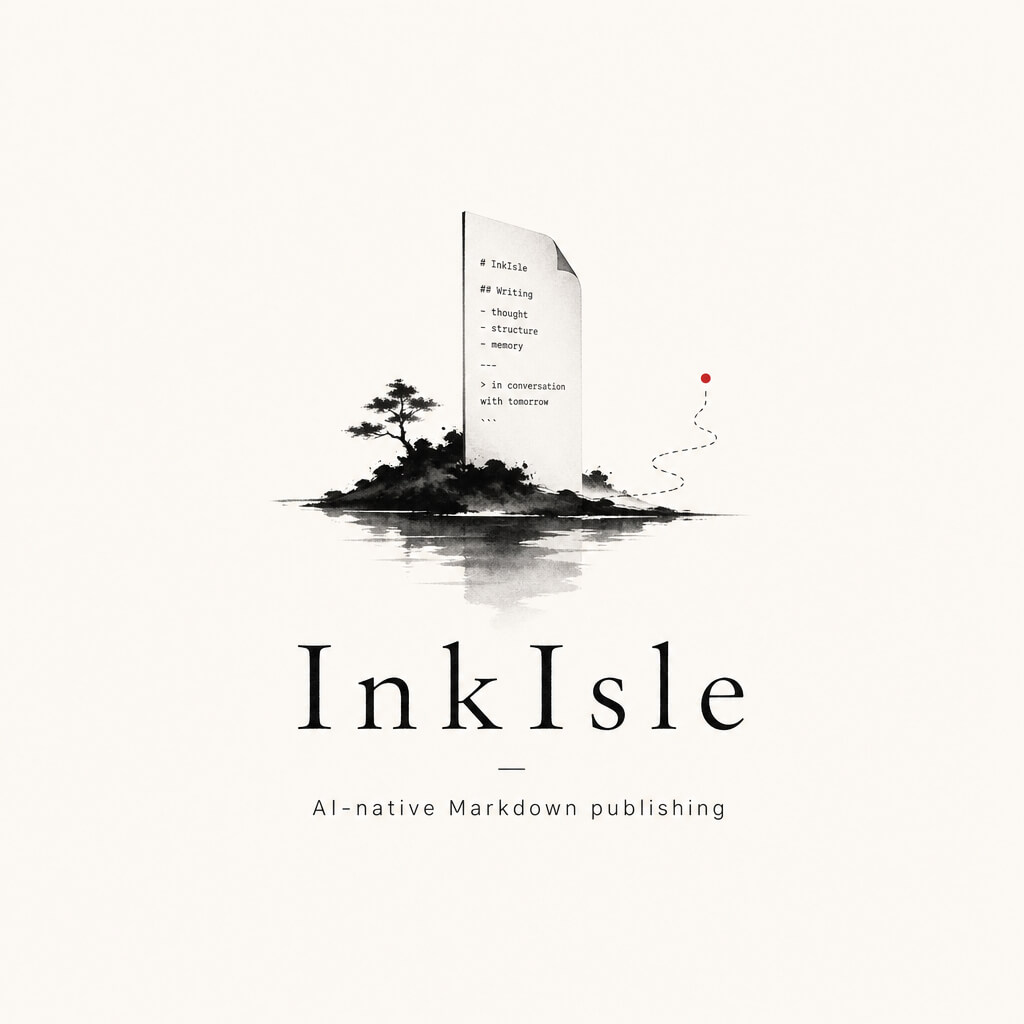
Generation notes:
- Model:
gpt-image-2 - Size:
1024x1024 - Output: JPEG, about 48 KB after compression
- Test input: InkIsle
- Best for: brand concept drafts, independent studio identity, creative publishing tools, art project marks
Reusable prompt:
Design a high-completion conceptual narrative minimal logo.

User input:
- Brand or project name: {brand name}
- Subtitle or product line: {subtitle}
- Type / industry: {studio, software, publication, art project, fashion label, music brand, architecture space, cultural project, independent brand, etc.}
- Positioning: {brand positioning}
- Core concept: {dream, control, distance, solitude, exploration, future, imagination, dialogue, structure, freedom, narrative, spirituality, etc.}
- Metaphor: {astronaut, rabbit ears, silhouette, puppet, hand, box, planet, door, eye, thread, moon, installation, geometric structure, figure-space relationship, etc.}
- Mood: {restrained, calm, experimental, mysterious, poetic, rational, futuristic, independent, etc.}
- Main colors: {black, white, gray, deep brown, ink black, etc.}
- Accent color: {small red, dark red, or another restrained accent}
- Aspect ratio: 1:1

Goal:
This is not a normal corporate logo and not a simple icon. It should be a small visual work with concept, narrative tension, and minimal character.

The result should feel:
- minimal but not empty
- spacious but not weak
- simple but meaningful
- restrained but designed
- closer to an independent studio or art project identity than a commercial badge

Design essence:
Do not directly explain what the brand does. Express the brand's spirit indirectly through metaphor, scene relationship, and visual poetry.

Prioritize:
- whether the mark has a concept
- whether symbol and text form a narrative relationship
- whether negative space strengthens the work
- whether the whole image feels like a small art-directed identity system

Symbol:
- Design a small symbolic mark, scene, or installation from the core concept and metaphor.
- It may use black-and-white silhouettes, fine line structure, geometric frames, tiny red lines, or selective negative space.
- It must be simple, but not generic.
- It should have viewing value, not only functional icon value.

Typography:
- The brand name must be clearly readable.
- English may use restrained thin, modern, uppercase or editorial typography.
- Chinese or bilingual text may be used only if the input requires it.
- Text can act as annotation, counterpoint, title, support, or structural element.
- Avoid decorative fonts and crowded text.
- Symbol and text must feel intentionally related.

Composition:
- Lots of negative space.
- The main subject may be small.
- Centered, off-center, split, opposing, suspended, or aligned layouts are all allowed if balanced.
- Fine lines, tiny markers, numbers, or subtitles may appear sparingly.
- The image should feel like a brand identity proposal, not a poster or packaging front.

Color:
- Use black, white, gray, deep brown, or ink-like tones.
- Use only a tiny accent color, such as red or dark red, for a route, connection, warning point, or relationship marker.
- Avoid high saturation, large gradients, noisy colors, and commercial shine.

Avoid:
traditional heavy corporate badges, cartoon logos, generic geometric marks, crowded layouts, glossy effects, random symbols, fake slogans, and cheap logo-template aesthetics.

Final output:
A polished conceptual narrative minimal logo with metaphor, negative space, restrained typography, and independent studio character.
Case 4: Quiet Botanical Knowledge Card
This pattern is for light knowledge visuals.
It is not a dense botanical encyclopedia page and not a dashboard. The image should feel like a plant placed on paper, with a few pieces of information allowed to stop around it.
I tested it with Lavender. The image keeps six knowledge points, gives the plant a large central presence, and uses quiet labels instead of heavy information blocks. This kind of image works well for a presentation cover, a knowledge card, or a visual index page.
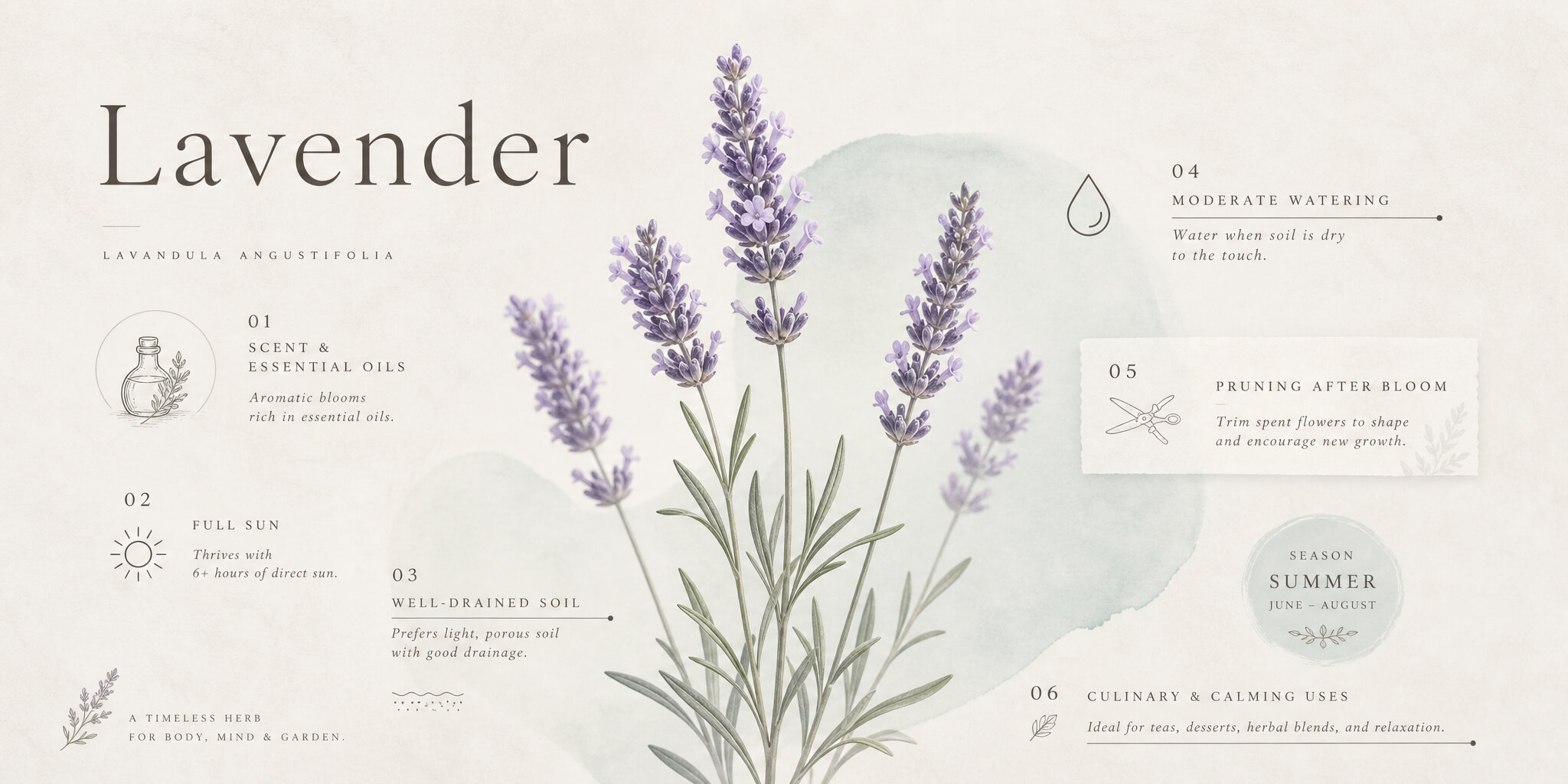
Generation notes:
- Model:
gpt-image-2 - Size:
2048x1024 - Output: JPEG, about 256 KB after compression
- Test input: Lavender
- Best for: botanical cards, presentation covers, knowledge cards, social covers, brand visuals
Reusable prompt:
Create a restrained, translucent, negative-space knowledge card.

The image should work for a presentation, infographic, social cover, knowledge card, business card, or brand visual. It should not chase decoration. It should feel like a quiet generated object: information is gently lifted, space breathes, and visual elements avoid and attract each other at the same time.

Color:
- Use low-saturation, pale, misty, paper-like colors.
- Background should be warm off-white, pale warm gray, mist gray, or light beige-gray. Do not use dead pure white.
- Add one soft translucent pale mint, ice blue-green, pale cyan, or mist-blue shape as a spatial support.
- This shape should not feel like a hard standard geometric block; it should feel diluted by light.
- Text color should be smoky gray, deep brown-gray, or gray-black.
- Accent colors may come from nature, but they must be light, few, and precise.

Composition:
- Use asymmetrical negative space unless the user asks for centered composition.
- The main subject should not fill the canvas mechanically.
- It may grow diagonally, breathe vertically, or shift slightly from center.
- Use a natural branch, soft line, plant, delicate curve, mist shape, paper texture, pale shadow, or abstract data trace as the visual line.
- The elements should feel naturally grown rather than mechanically placed.

Typography:
- Typography is the skeleton of the image.
- Titles may be vertical, segmented, or placed with generous letter spacing.
- English notes should use light sans-serif or restrained serif typography, small size, and wide tracking.
- Body information should be broken into short lines, poetic fragments, data labels, or small information nodes.
- Important numbers may be enlarged, but should remain quiet and elegant.
- Text and image should support each other.

If the input is knowledge, data, opinions, or report content:
- Turn it into a lightweight information graphic.
- Use a small number of lines, pale color blocks, labels, numeric hierarchy, vertical rhythm, and whitespace grouping.
- Do not create a traditional table, dense flowchart, or mechanical dashboard.
- Every group of text should have its own pause and position.

Light and texture:
- Soft natural diffused light
- Low contrast
- Slight depth of field
- Subtle paper texture
- Mild air particles
- Semi-transparent layers
- Restrained edges

Avoid:
neon, cyberpunk, high-saturation gradients, heavy 3D, cartoon style, hard tech wireframes, standard icon templates, commercial stock collage, crowded text, and aggressive contrast.

User variables:
- Topic: {topic}
- Purpose: {use case}
- Knowledge points: {number and requirements}
- Composition: {centered, large subject, diagonal growth, etc.}
- Aspect ratio: {ratio}
Loading discussion...
Discussion failed to load. Reload